B2B Data Enrichment: A Practical Guide for 2026
You're staring at a list that looked clean when marketing handed it over, and now half the names feel stale. A rep opens a sequence, sees a few good titles, a few missing phone numbers, and a few work emails that probably won't survive the quarter. That's the starting point for b2b data enrichment, not a database project, but a sales problem that keeps showing up in daily workflow.
Table of Contents
- What B2B Data Enrichment Actually Means
- The Core Enrichment Fields Sales Teams Care About
- Why Data Decay Changes How You Run Enrichment
- Choosing Between REST APIs, Webhooks, and MCP
- How Real-Time Enrichment Works in Practice
- A Practical Vendor Selection Checklist
- Governance, Compliance, and the Cost of Bad Sources
- Putting It All Together and Where Enrichment Is Heading
What B2B Data Enrichment Actually Means
A rep might pull a 2,000-record list from a webinar or event series, work it for a few weeks, then watch the quality slide. The issue isn't just that some fields are blank, it's that the people behind those records move, switch roles, and change companies. A CRM row that looked usable last month can turn into dead weight fast.
B2B data enrichment means adding or refreshing fields on records you already own, not replacing the record itself. It takes a partial account or contact row and fills in what your team needs to route, score, and personalize outreach. In practice, that can mean company size, job title, verified email, direct phone, or a signal that says the account is worth immediate attention.
Enrichment is not list buying
Buying a list gives you a new pile of names. Enrichment works on an existing account or contact, which means your CRM, routing rules, and sequence logic can stay anchored to one record. That matters because teams don't just want more data, they want data that fits the records they already use in Salesforce, HubSpot, or an SDR queue.
Practical rule: if the record can't be tied back to a known account or lead, you're buying reach, not enriching data.
The clean mental model is simple. List buying creates a starting point. Enrichment improves the starting point you already have. That's why it's now an operational workflow, not a campaign step you do once before a big outbound push.
The rest of the work comes down to three questions. Which fields matter to sales? How fast do those fields decay? And how should the data move through API, webhook, or agent workflows without turning your CRM into a mess?
The Core Enrichment Fields Sales Teams Care About
The field mix should follow the motion of the team, not the vendor demo. An SDR team selling into startups cares about very different details than an account executive working enterprise expansions. If the wrong fields are enriched, the team gets more clutter, not better outreach.
Four layers, four jobs
Firmographic fields tell you what the company is. Demographic fields tell you who the person is inside that company. Contact fields tell you whether you can reach them. Intent fields tell you when the timing might be right.
Enrichment field layers and what they unlock Field layer Example fields Primary use case Decay risk Verification need Firmographic Industry, headcount, funding, tech stack Segmentation, account scoring, ICP fit Slower, but changes after funding, growth, or M&A Helpful for recency and source quality Demographic Job title, seniority, department, function Routing, messaging, persona fit Fast when people change roles High, especially for role targeting Contact Work email, direct phone, LinkedIn URL Deliverability, connect rate, sequencing Fastest, especially email and phone Highest, must be verified Intent Hiring signals, funding events, technology installs, content consumption Timing, prioritization, trigger-based outreach Fast and often event-driven High, because many signals are derivedFirmographics are the backbone of segmentation. If you know the company's industry, headcount, or stack, you can decide whether it belongs in a sequence at all. Demographics help the rep write like a human instead of blasting the same title-based pitch to everyone.
Contact data is the difference between useful and useless. A direct dial or verified work email can decide whether a rep reaches a person or leaves a bad impression with a stale address. Intent data is different again, because it often comes from event monitoring or inferred activity, which means it needs careful governance before it touches routing rules.
Field choice should match the team's motion. If reps only need routing, don't pay for deep technographics. If the sale depends on direct outreach, verified contact data matters more than broad company coverage.
Why Data Decay Changes How You Run Enrichment
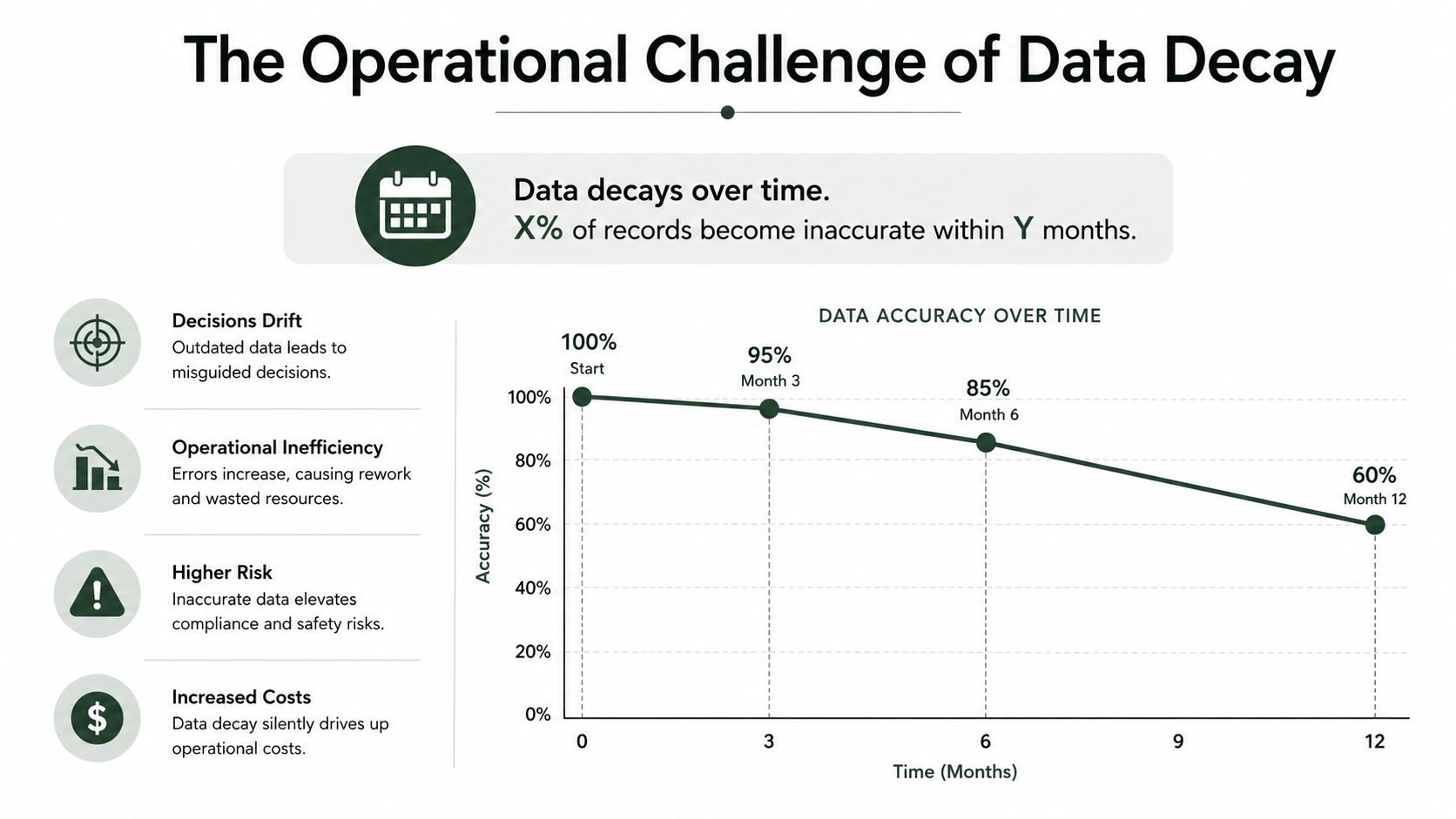
You can buy a clean list, scrape one, or append one, and it still will not stay clean for long. Data decay is the reason enrichment has to run like a freshness process, not a one-time cleanup. People change jobs, companies shift, and contact details stop working.
B2B contact data can decay 25% to 30% per year according to Datamagnet's B2B data 2026 enrichment benchmark report. Prospeo puts contact decay at about 2.1% per month, which compounds to roughly 22.5% per year. The two benchmarks use different methods, but they point to the same operating reality, a meaningful share of your list goes stale every year.
Refresh by field, not by habit
The common mistake is putting every field on the same refresh clock. That looks tidy on paper, but it ignores how fast each field changes. Emails and direct dials age faster than firmographics, and intent signals age faster still.
Rule of thumb: the faster a field changes, the more your workflow should treat it like a live signal instead of a stored fact.
A better operating model is to set refresh cadence by field and by use case. Active accounts can have work emails refreshed on a tighter cycle, phone numbers checked on a quarterly basis, firmographics updated when events like funding or M&A change the account, and intent signals reviewed on a shorter loop when they affect routing or prioritization. The point is not perfect data. The point is keeping stale records out of the SDR queue before they waste time, credits, and connect rate.
Freshness metadata matters for the same reason. If your system cannot show when a field was last verified, reps will trust records that only look complete. A full record that is out of date still costs real money, because it sends reps toward bad emails, bad numbers, and bad timing.
Choosing Between REST APIs, Webhooks, and MCP
The integration choice isn't really about which tool sounds newer. It's about how fast the trigger needs to move, how much infrastructure your team can support, and who or what is calling the enrichment layer.
Three patterns, three operating styles
REST polling is the familiar batch model. Your system asks a vendor for updates on a schedule, so you control timing, but you also accept latency and request volume. That works for backfills, scheduled refreshes, and nightly syncs where speed matters less than predictability.
Webhooks reverse the flow. The vendor pushes data when a record changes, which cuts delay and reduces the need for constant polling. That's a strong fit for live inbound events, funding alerts, and any workflow where speed is part of the sale.
MCP brings the agent into the loop. An AI copilot or SDR agent can call enrichment tools directly inside a workflow, so the record gets updated while the agent is already working it. That removes a lot of manual orchestration, especially when the same workflow needs to look up data, write it back, and decide what happens next.
Integration patterns for B2B data enrichment Pattern Latency Best Fit Infrastructure Cost Trigger Model REST polling Higher, because the system checks on a schedule Batch backfills, periodic refreshes, scheduled scoring jobs Moderate, but request-heavy at scale Scheduled pull Webhooks Low, because the vendor pushes changes Funding alerts, form fills, live record updates Lower polling overhead, but needs endpoint handling Event push MCP Low, inside agent workflows AI agents, SDR copilots, record updates in context Depends on agent stack and orchestration On-demand tool callThe selection usually breaks down like this. Use REST when you need bulk movement and stable syncs. Use webhooks when the trigger itself is the advantage. Use MCP when an agent is already making the next move and should fetch verified data without leaving the workflow.
Cost and observability matter too. Polling can burn through requests, webhooks can duplicate records if retries aren't handled cleanly, and MCP only works if your team has a clear policy for what the agent may read, write, and overwrite.
How Real-Time Enrichment Works in Practice
A startup announces a seed round on a Tuesday morning, and the timing matters more than the round size. The funding event lands inside a monitored feed, and a webhook fires with the company name, domain, and a confidence score. That's the kind of trigger an SDR team can use before the news goes stale.
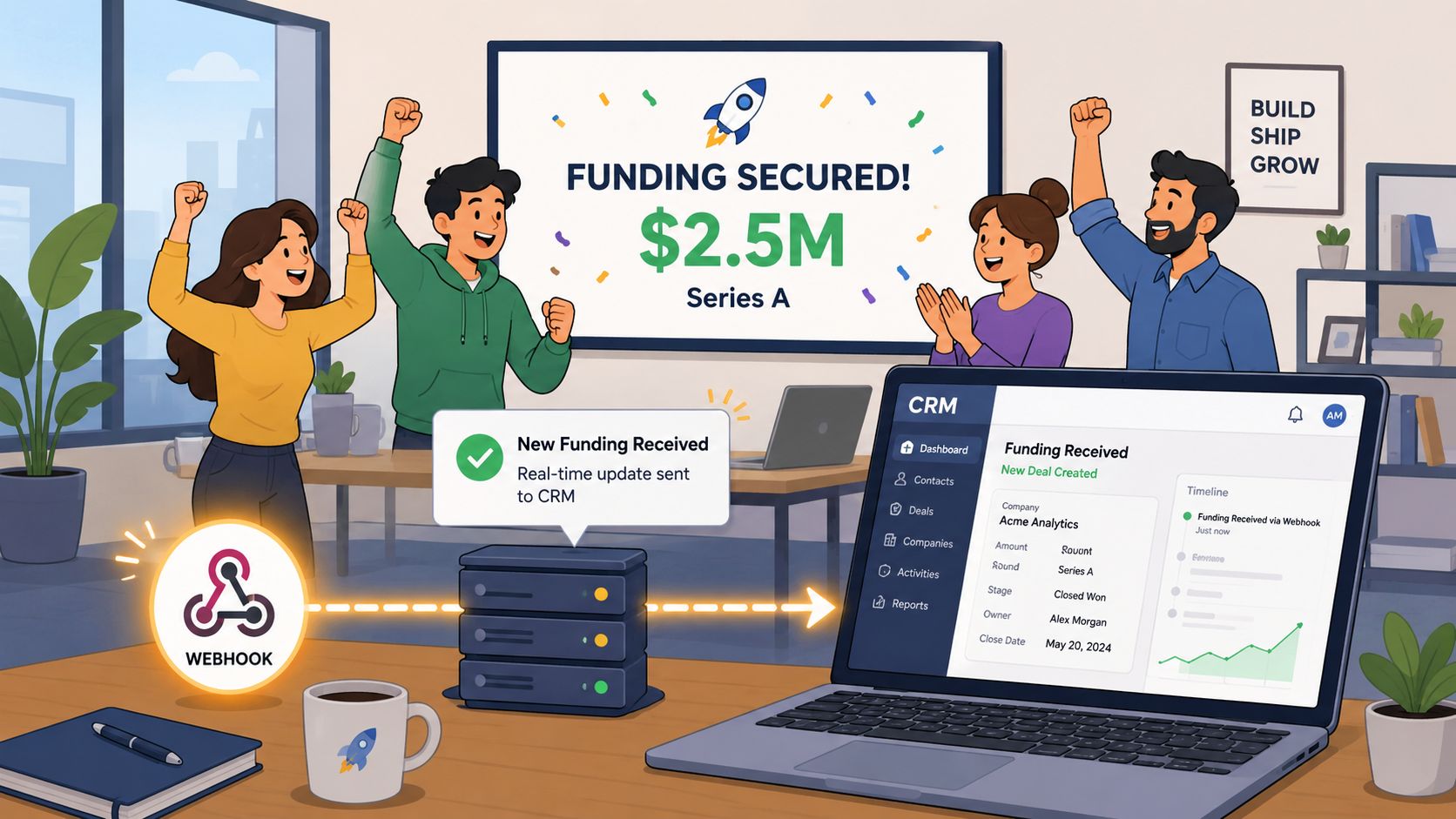
A few minutes from trigger to usable record
The pipeline ingests the event, matches the domain to a company record, expands the employee and founder profile, then verifies contact details before the CRM gets updated. If everything is healthy, the total round trip lands fast enough that a rep can work the company the same morning. That gives the team a clean sequence window before competitors notice the same signal.
The value is not only speed. It's that the rep works from a verified contact instead of a guessed profile copied from a social page. That changes the odds of bounce, misrouting, and awkward outreach.
A real-time pipeline is only real-time if the record is both updated and usable by the rep without manual cleanup.
The failure points are predictable. Parallel lookups can hit rate limits, catch-all domains can block email verification, and webhook retries can create duplicates if idempotency isn't in place. That's why real-time enrichment should be designed as an update system, not just an alert system.
For teams that want a live feed of newly funded startups with verified founder and leadership contacts, NowFunded fits this pattern because it exposes funding records and contact data through structured delivery modes built for operational use.
A Practical Vendor Selection Checklist
Vendor evaluation goes wrong when the conversation starts with logos, not mechanics. The right question is whether the system can improve routing and outreach without creating data that's hard to trust later. If a vendor can't answer that clearly, the rest of the pitch doesn't matter much.
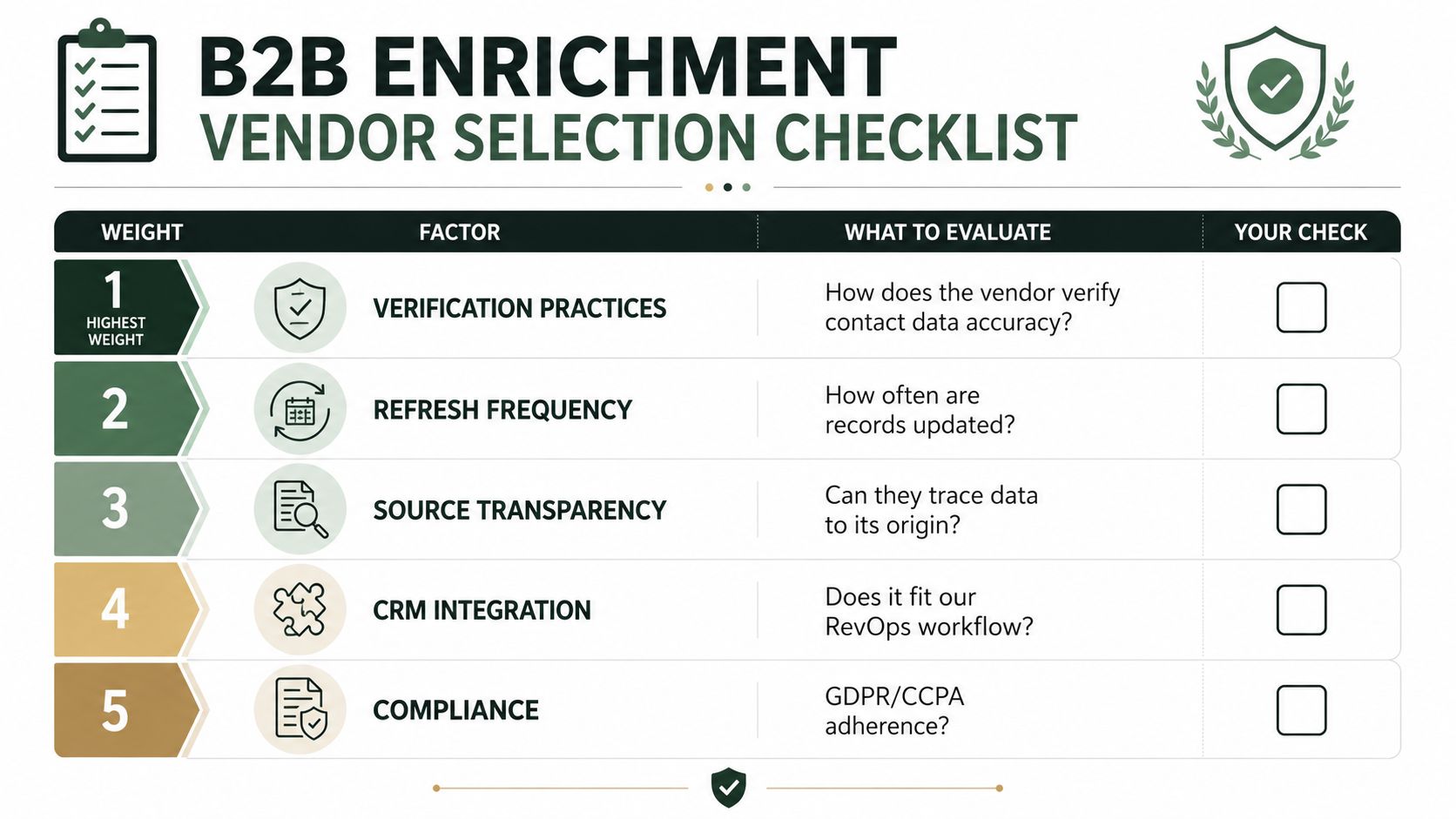
Five factors that actually affect revenue ops
Verification practices come first. Ask whether emails are checked at delivery time, how catch-all domains are handled, and whether the vendor logs source and timestamp for each field. If the vendor can't show how a contact was verified, the record is hard to trust in a live sequence.
Schema transparency comes next. Some tools return opaque payloads that are hard to map into CRM fields, which makes freshness rules and routing brittle. Named fields with confidence scores are much easier to govern.
Pricing model needs a reality check. Per-record pricing can punish scale, credit bundles can hide overage pain, and flat platforms sometimes charge for features your team won't use. The right model is the one your forecast can survive.
Coverage should be tested against your own target list, not a global promise. A hundred target accounts from your real TAM will tell you more than a giant market map.
Governance closes the list. GDPR, CCPA, subprocessors, retention, and deletion handling all matter because enrichment touches records that are already moving through your CRM and marketing stack.
Vendor factor Go signal No-go signal Verification practices Clear delivery-time verification, catch-all handling, and source logging No explanation of how data is checked Schema transparency Explicit fields and confidence values Opaque bundles that break mapping Pricing model Predictable cost aligned to usage Hidden overages or unused feature bloat Coverage Strong match on your own target accounts Generic claims with no real TAM testing Governance Clear DPA, audit trail, and deletion support Weak controls around data handlingA single evaluation cycle should be enough to surface most of the risk. If the sample records are strong, the field model is clear, and the compliance story holds up, the vendor is worth deeper testing. If not, the problem usually shows up later as dirty routing, duplicate records, and expensive cleanup work.
Governance, Compliance, and the Cost of Bad Sources
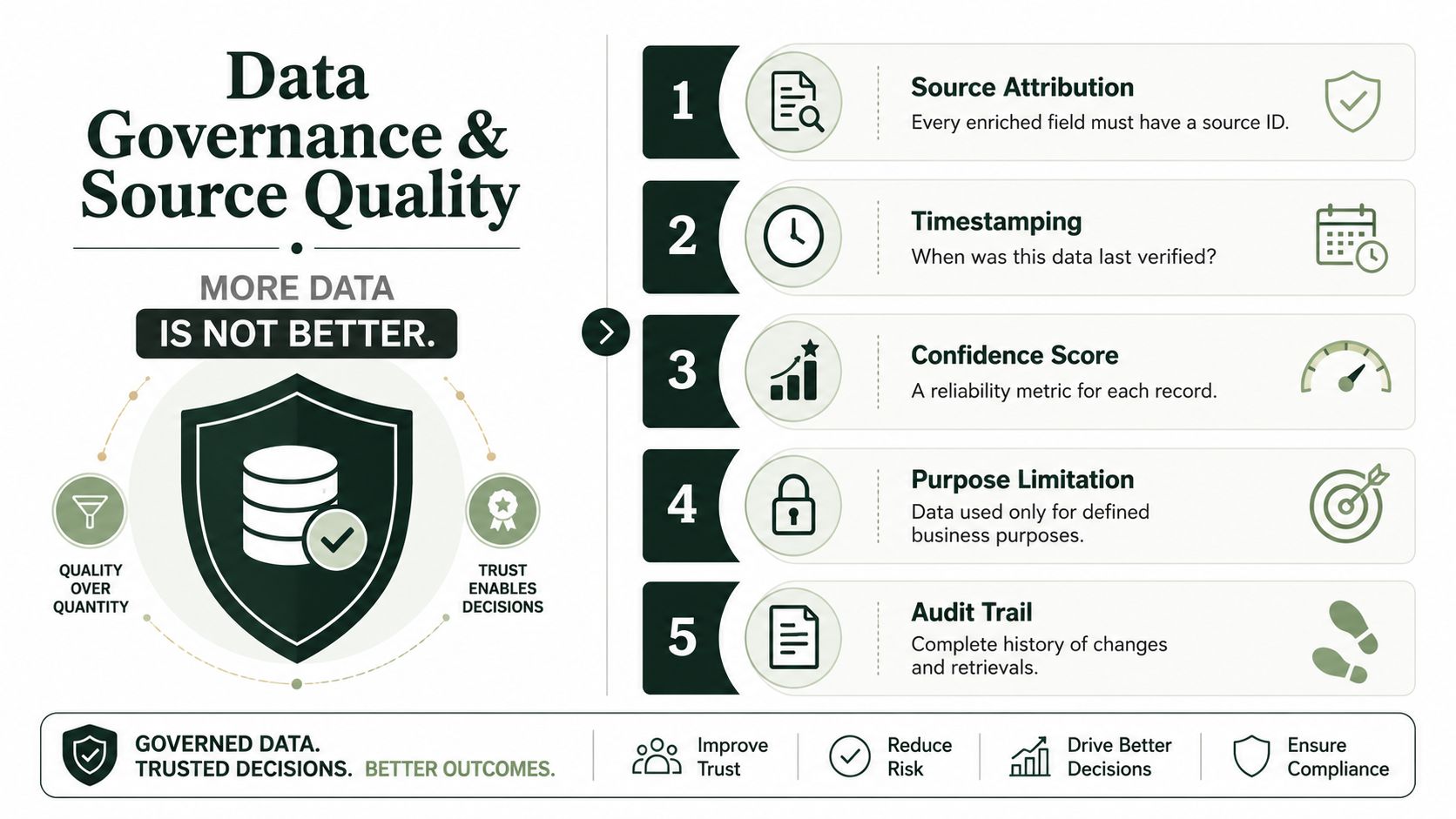
More data is not the same as better data. A CRM can look fuller while becoming harder to trust, especially when multiple vendors append fields without clear lineage. Once that happens, the team stops knowing which values came from where, and no one wants to own the cleanup.
Why source quality is a revenue issue
Every enriched field should carry a source, a timestamp, and a confidence score. Without those three pieces, reps can't judge whether a contact is worth using, and RevOps can't tell whether a bad value came from an old vendor, a waterfall step, or a mismatch during sync. Waterfall enrichment can improve coverage, but it can also hide low-quality or non-auditable sources inside otherwise tidy records.
That's where governance and compliance meet revenue ops. GDPR and CCPA obligations aren't abstract legal chores when the team is using enriched contact data for outreach. They affect lawful basis, data subject rights, deletion requests, and vendor terms, which all need to be mapped before records start moving across systems.
Operational guardrail: if you can't explain where a field came from, you shouldn't let it steer a rep's next action.
The cost of bad sources shows up in the queue. SDRs waste time on bounced emails, leads get routed to the wrong owner, and inflated MQL counts distort forecast thinking long before anyone notices the root cause. The fix is boring but effective, minimum confidence thresholds, source logging, and a takedown workflow that works the same way every time.
A disciplined program doesn't ask for more fields first. It asks whether each field is traceable enough to use safely. That's the standard that keeps enrichment from becoming another hidden source of CRM debt.
Putting It All Together and Where Enrichment Is Heading
The core idea is simple, even if the stack around it isn't. B2B data enrichment is a continuous freshness problem, not a one-time scrub. If the record isn't re-verified often enough for the field it carries, the data will drift before the rep gets to use it.
A team ready to tighten this up should make five decisions this quarter. Set field-level refresh cadences by how fast each field changes. Define verification thresholds for contact data and catch-all handling. Choose the right integration pattern for batch, live events, or agent workflows. Pick a vendor architecture that exposes fields cleanly instead of hiding them in opaque blobs. Put a governance policy in writing so source logging and deletion handling aren't improvised later.
The direction of travel is clear. Real-time, agent-native enrichment is becoming the default operating model, especially where MCP-connected agents need verified data on demand instead of waiting for static list syncs. That pushes enrichment closer to infrastructure and makes freshness, confidence, and auditability baseline expectations for RevOps leaders.
For a deeper look at how live funding intelligence and verified contact delivery fit into this model, visit the NowFunded blog and review how the platform structures real-time startup data for operational workflows.
NowFunded provides a live, verified feed of newly funded startups with structured contacts for founders and leadership, delivered through MCP, REST API, webhook, CSV export, or a web dashboard. If you're building outbound workflows around fresh signals and verified records, visit NowFunded to see how its funding feed and contact enrichment can fit into your process.